
VICIPanel has five user levels organized into four role buckets. Every screen and every API call checks the user's level before granting access, so you can safely expose the product to agents and supervisors without worrying that they will see billing or infrastructure settings.
The four roles
- Agent (L1–L4)
- Take calls, update dispositions, manage own callbacks. Cannot see other agents' data or change any settings.
- Supervisor (L5–L6)
- Everything an Agent can do, plus monitor active calls, whisper / barge, see team wallboards, attach coaching notes.
- Manager (L7–L8)
- Everything a Supervisor can do, plus create campaigns, edit scripts, run reports, manage DIDs and pacing. Cannot change billing or security-sensitive settings.
- Admin (L9)
- Full access. Manage users, billing, infrastructure, compliance settings, and SYSTEM_ONLY pages (AMD config, CRM sync, MCP tokens).
How to invite someone
- 1
Admin → Users → Invite
Enter the person's work email and pick a role.
- 2
They get an email with a sign-in link
Valid for 7 days. Clicking it sets their password and logs them in to your tenant.
- 3
Check they landed in the right workspace
An Agent should see the Agent workspace. A Supervisor should see the Live monitor. A Manager or Admin sees the full nav.
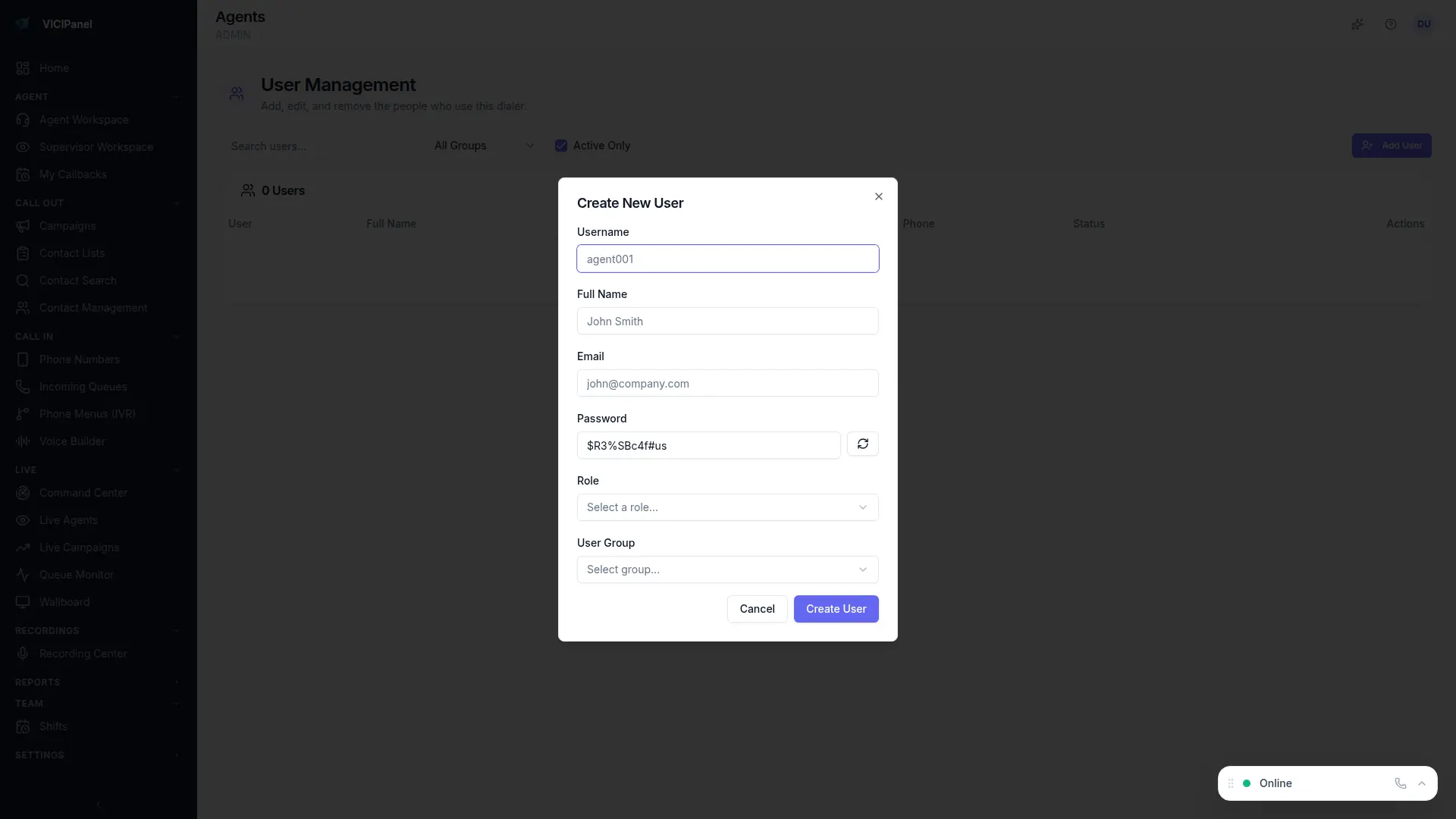
You can bulk-invite from CSV on Admin → Users → Bulk. Useful for onboarding a new floor of agents.
Common questions
Can I create custom roles?
Custom roles are available on the Enterprise tier. On Starter and Growth, use the four built-in role buckets.
What if an agent needs one extra permission?
Upgrade them to Supervisor. The five levels (L1–L9) are flexible enough for most operations without needing custom roles.